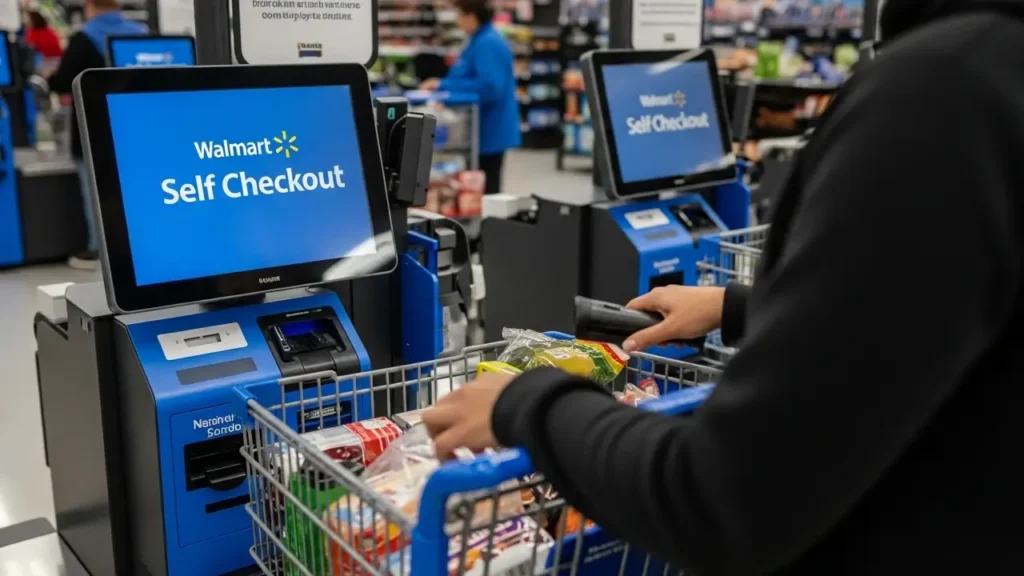
Walmart self checkout has become one of the most talked-about features in modern retail stores. As shopping habits continue to evolve, many customers are choosing faster and more convenient options over traditional checkout lines. Walmart has responded to this demand by introducing self-service kiosks in most of its stores.
This system allows customers to scan, bag, and pay for their items without needing assistance from a cashier. While it offers speed and independence, it also raises questions about usability, security, and efficiency. In this article, we will explore everything you need to know about Walmart self checkout, including how it works, its advantages, and common challenges shoppers face.
What Is Walmart Self Checkout?
Walmart self checkout is a technology-driven system that allows customers to complete their purchases independently. Instead of waiting in line for a cashier, shoppers can use a self-service kiosk to scan items, weigh produce, and make payments.
These kiosks are usually located near the front of the store and are designed to be simple and user-friendly. Customers can choose from various payment methods, including debit cards, credit cards, and mobile payment options. Some locations also accept cash, depending on the machine.
How Walmart Self Checkout Works
Using Walmart self checkout is straightforward, even for first-time users. The process is designed to be quick and intuitive, making it easy for customers to complete their purchases without assistance.
Here is a step-by-step breakdown:
First, select a self checkout machine and begin by scanning your items one by one. After scanning, place each item in the bagging area. The system verifies the weight of the item to ensure accuracy. For produce, you can search or select the item from the touchscreen menu.
Once all items are scanned, choose your preferred payment method. Complete the payment, collect your receipt, and you are ready to leave.
Key Features of Walmart Self Checkout
| Feature | Description |
|---|---|
| Touchscreen Interface | Easy-to-use display for scanning and payment |
| Barcode Scanner | Quickly scans product barcodes |
| Weight Verification | Ensures items are properly scanned and bagged |
| Multiple Payment Options | Supports cards, mobile payments, and sometimes cash |
| Receipt Printing | Provides a record of your purchase |
Benefits of Walmart Self Checkout
One of the biggest advantages of Walmart self checkout is speed. Customers with fewer items can quickly scan and pay without waiting in long lines. This is especially helpful during busy hours or holidays when traditional checkout lanes are crowded.
Another benefit is convenience. Shoppers have full control over their purchases, which can make the experience smoother and more efficient. Many people also prefer the privacy that comes with self checkout, as it reduces interaction with staff.
Additionally, the system is designed to reduce errors in pricing and scanning. Since customers handle their own items, they can easily verify prices and ensure everything is correct before completing the transaction.
Common Issues with Walmart Self Checkout
Despite its advantages, Walmart self checkout is not without challenges. One common issue is scanning errors. Sometimes, items may not scan properly, which can cause delays and frustration.
Another issue is weight verification errors. If an item is not placed correctly in the bagging area, the system may pause and require assistance from a store associate. This can slow down the process, especially for inexperienced users.
Technical glitches can also occur, although they are relatively rare. In such cases, store staff are usually available to help resolve the problem quickly.
Tips for Using Walmart Self Checkout Efficiently
To make the most of Walmart self checkout, it is helpful to follow a few simple tips. First, organize your items before scanning. This makes the process faster and reduces confusion.

Second, scan items carefully and place them in the bagging area immediately. Avoid stacking items before scanning, as this can lead to errors. For produce, take your time to select the correct item from the screen.
Finally, double-check your total before making payment. This ensures that all items have been scanned correctly and helps avoid any surprises.
Is Walmart Self Checkout Safe?
Security is an important aspect of Walmart self checkout. The system uses weight sensors and monitoring tools to prevent theft and ensure accuracy. Cameras are also installed in most areas to provide additional security.
While these measures help protect the store, they also ensure a fair and transparent shopping experience for customers. Most users find the system reliable and secure when used properly.
The Future of Walmart Self Checkout
The future of Walmart self checkout looks promising as technology continues to improve. Many stores are experimenting with advanced features such as mobile scanning and contactless payments.
In the coming years, we can expect even faster and more efficient systems that reduce wait times and enhance the overall shopping experience. Walmart is also exploring ways to integrate artificial intelligence to make self checkout smarter and more user-friendly.
FAQs About Walmart Self Checkout
1. Can I use cash at Walmart self checkout?
Some machines accept cash, but it depends on the store location. Many kiosks are card-only.
2. What should I do if an item does not scan?
Try scanning it again or use the manual entry option. If the issue continues, ask a store associate for help.
3. Is there a limit to how many items I can scan?
There is usually no strict limit, but self checkout is best suited for small to medium-sized purchases.
4. Can I use coupons at Walmart self checkout?
Yes, most machines allow you to scan coupons before completing your payment.
5. Why does the machine ask for assistance sometimes?
This usually happens due to weight verification issues or scanning errors that require staff approval.
Final Thoughts
Walmart self checkout has transformed the way people shop by offering speed, convenience, and flexibility. While it may come with a few challenges, the benefits often outweigh the drawbacks for most customers.
As technology continues to evolve, self checkout systems are expected to become even more efficient and user-friendly. Whether you are a regular shopper or trying it for the first time, understanding how the system works can help you enjoy a smoother and faster shopping experience.


Hi, I’m Anas — the mind behind Business Insider. I started this platform to share my interest in business and finance in a way that’s simple, honest, and actually useful. I enjoy breaking down complex ideas into something anyone can understand, whether it’s about making money, managing it, or growing a business. Through this site, I aim to provide practical insights, real knowledge, and content that genuinely helps people move forward.